
Start here
Create your account →Or go to directlegal.legalconnect.com/registration. The New user? link under the portal’s login box opens the same form. Use a current version of Chrome, Edge, Firefox or Safari.
What you will need
- Your name, email address and phone number
- Your firm or company name and street address
- A primary billing contact, and a secondary one if you have one
- Your State Bar number, if you are an attorney
- A credit card, which is required to open your account
1 Enter your user information
Make sure Create a New Account is selected. Enter your First Name, Last Name, Email and Phone, create a Password of at least 8 characters with upper and lower case letters and a number, and choose how you heard about us.
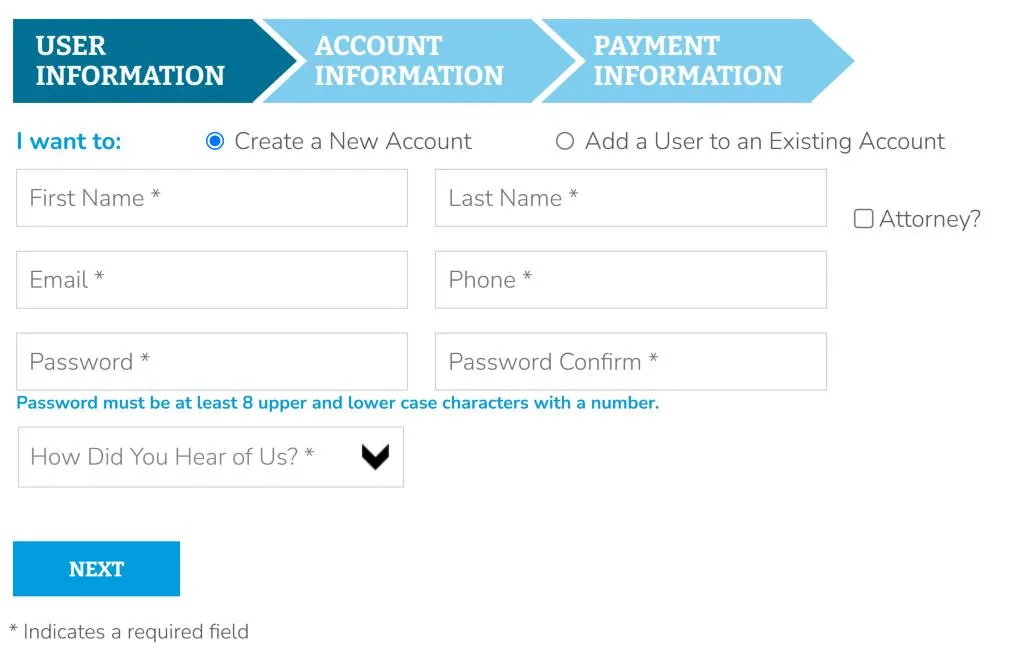
Click Next.
2 Enter your account information
Choose the Type of Account you are creating. Then enter your organization’s name and street address, your primary billing contact and a secondary billing contact, if you have one.
Choose whether you want to enter an internal billing code, such as a file or client matter number, each time you place an order. You can change this at any time under My Profile.
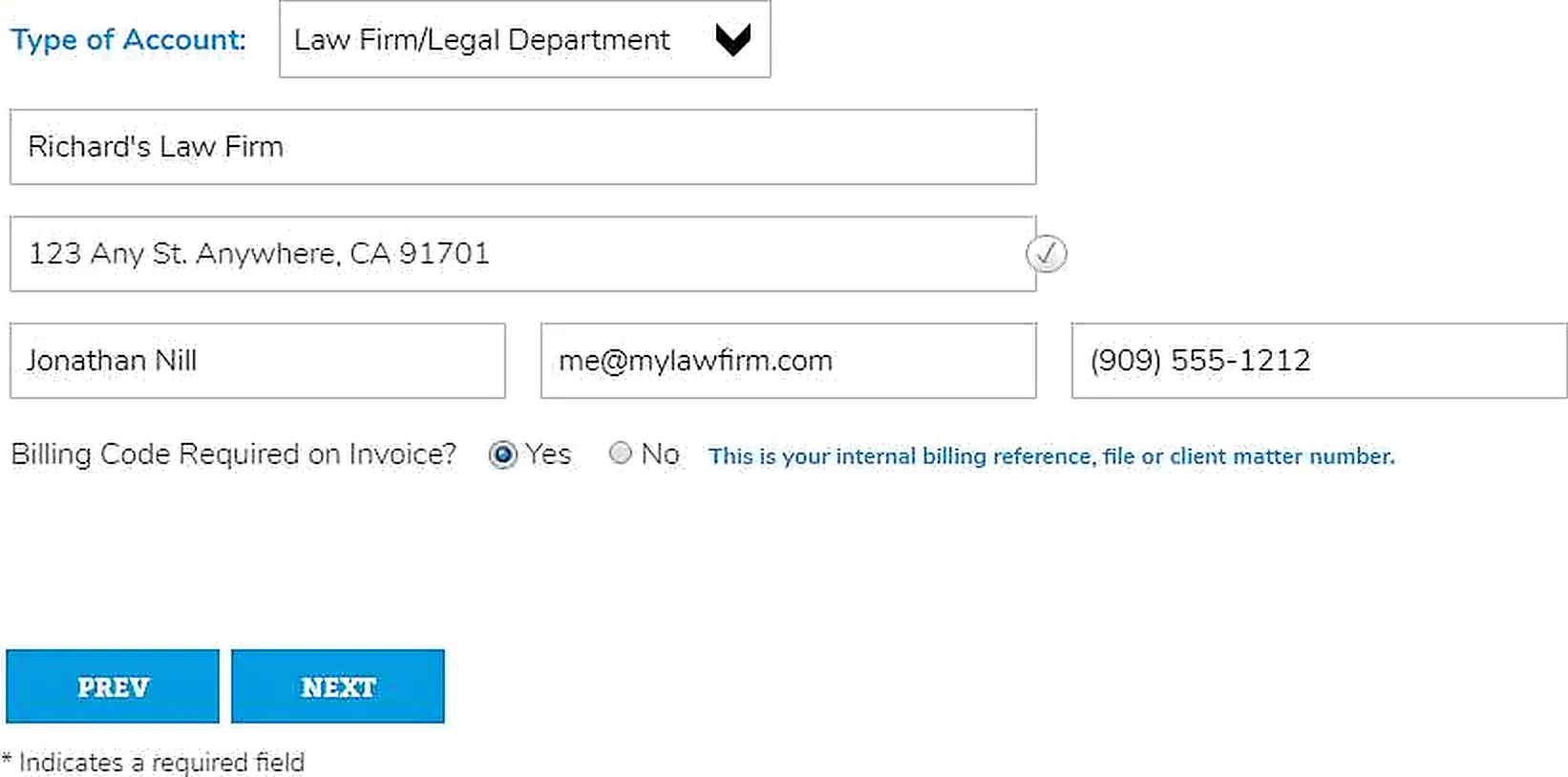
Click Next.
3 Add your credit card
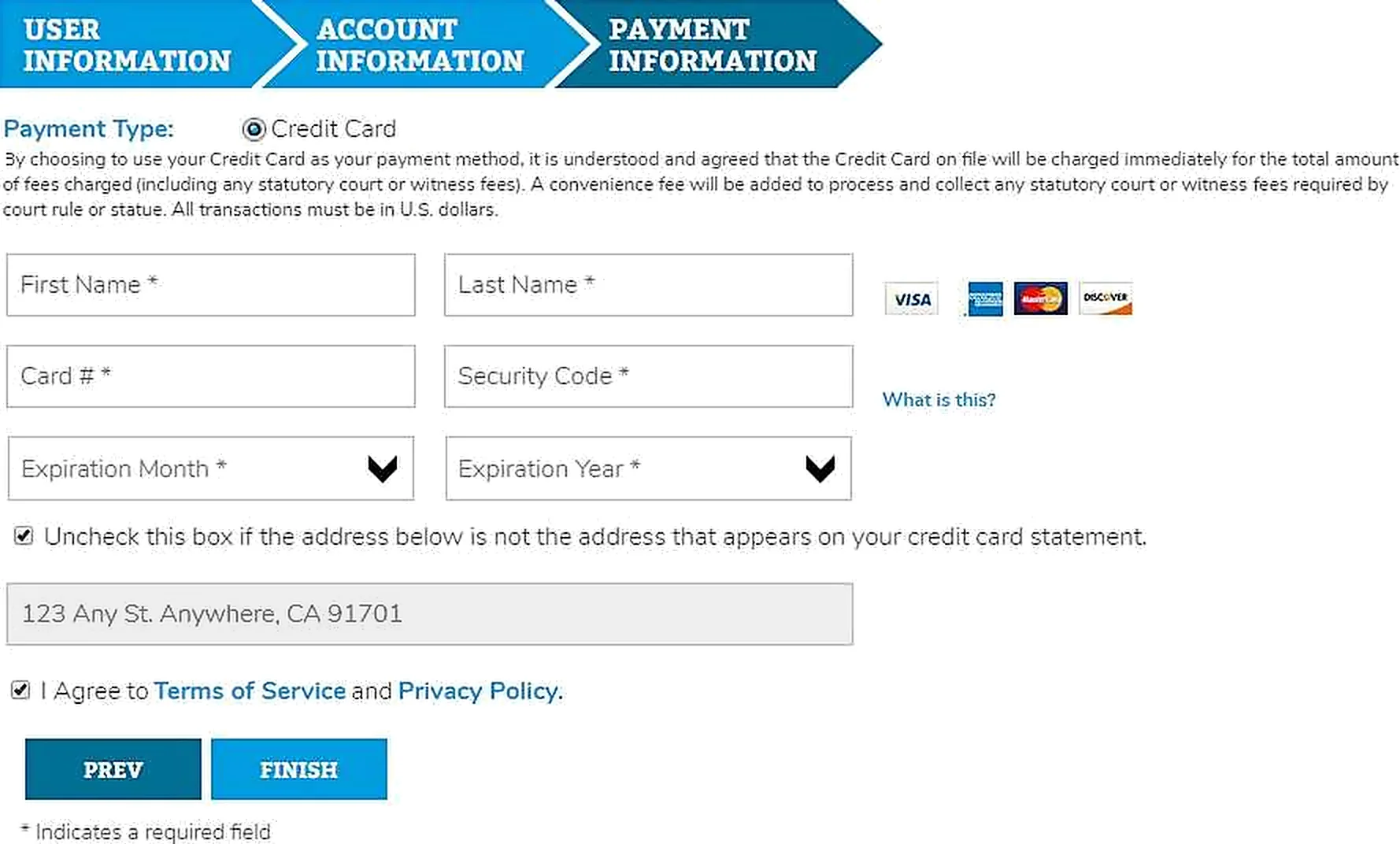
A credit card is required to open your account. Enter the First Name and Last Name on the card, the Card #, the Expiration Month and Expiration Year, and the Security Code from the back of the card. Type numbers without dashes or spaces. A convenience fee applies to credit card payments, as shown on the form.
4 Verify your email address
We send a verification email to the address you entered. Click the link in that email to verify and activate your account. If it hasn’t arrived within a few minutes, check your junk mail folder, or use the link on the screen to send it again.

5 Log in and place your first order
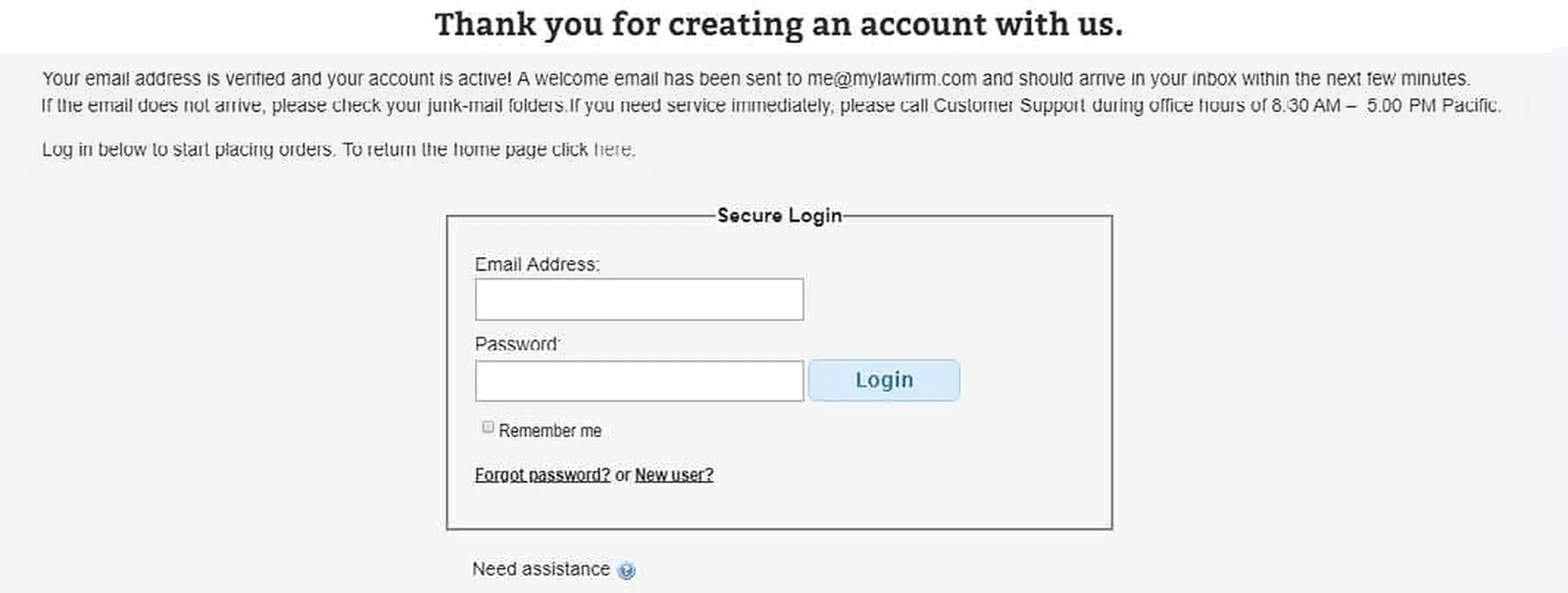
Once your email is verified, a new tab opens to confirm that your account is active, and we send you a welcome email. Log in with your email address and password to start placing orders.
What you can do in your account
- Order process serving, court filing, e-filing, e-recording, writ levies and more
- Upload your documents securely with each order
- Follow the status of every order online
- Download proofs of service and file-stamped copies when they are ready
Good to know
Adding a coworker? On the sign-up form, choose Add a User to an Existing Account instead of creating a new one.
Ordering records by subpoena? Records Retrieval orders use a separate portal. See directlegal.com/order-legal-support-services.
Questions? We’re here to help.
Call our Litigation Division Monday to Friday, 8:30 a.m. to 5:00 p.m. Pacific, or email info@directlegal.com. Ready to order? Log in to the portal.
Prefer paper? Download this guide as a PDF to print or save. More guides: Client Portal Guides.