
Start here
Log in to the portal →Or go to directlegal.legalconnect.com and log in with your email address and password. Use a current version of Chrome, Edge, Firefox or Safari. New to the portal? See our Creating a New Account guide.
What you will need
- A process serving order that you are placing in the portal
- The court where the case is filed, entered on the order’s Case Info tab
Our guides How to Place a Process Serving Order for a Single Entity and for Multiple Entities walk you through the whole order.
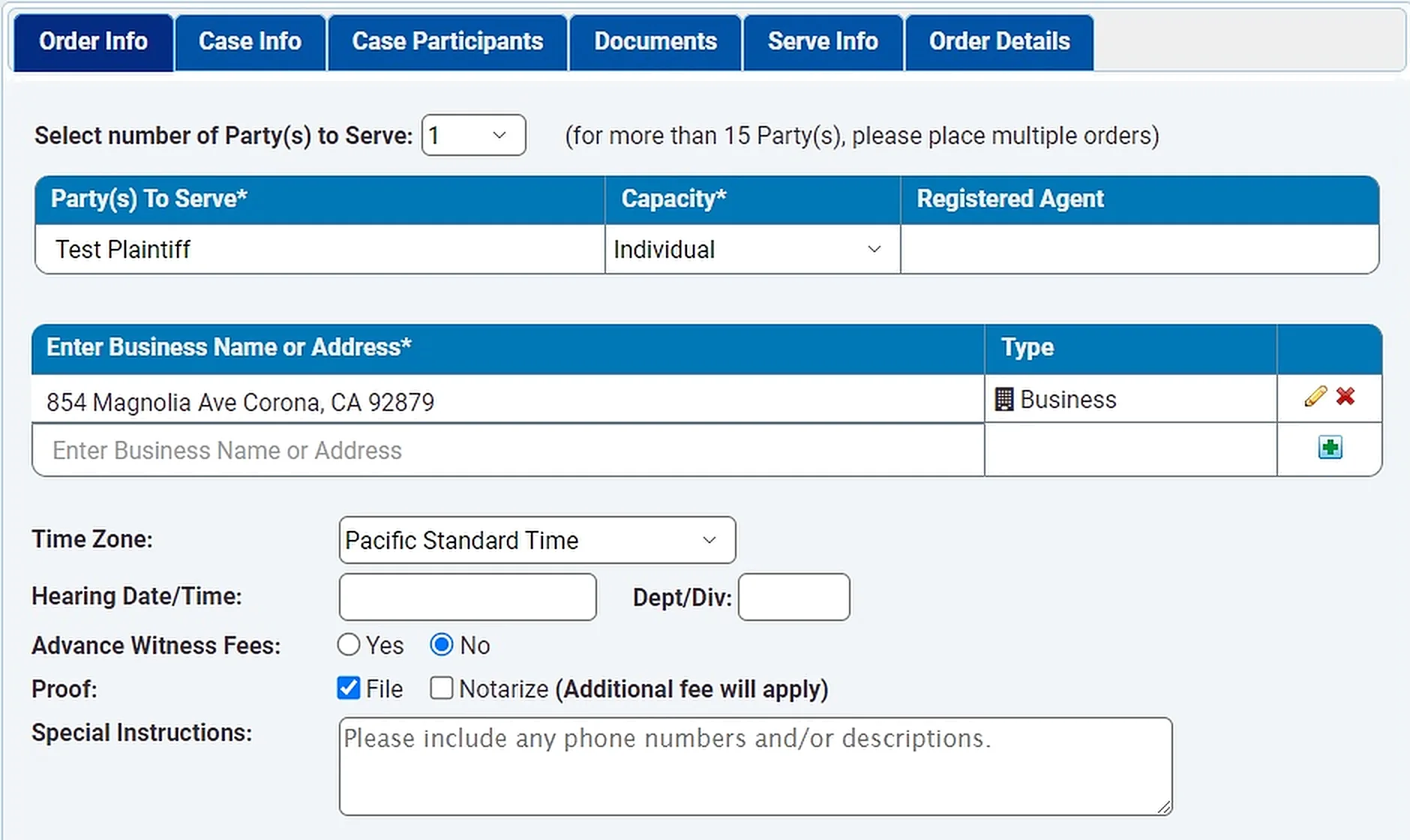
1 Check File next to Proof
Place your process serving order as usual. On the Order Info tab, check File next to Proof. Additional fees apply.
2 Check the Order Summary
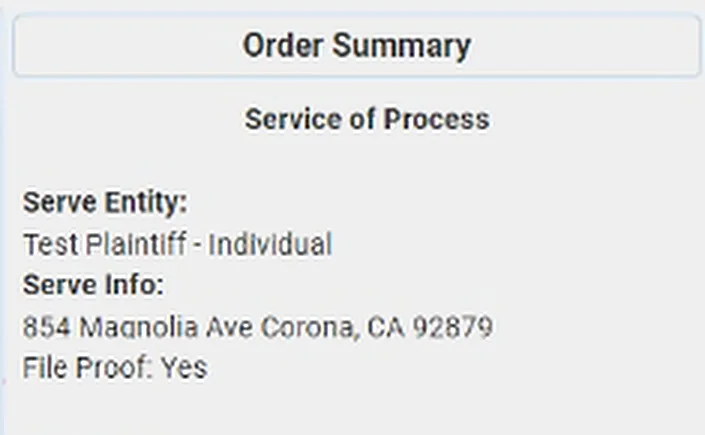
Before you submit the order, look at the Order Summary beside the order form. Under Serve Info, it shows File Proof: Yes when the box is checked.
You can check this again later in the order view in your account.
What happens after service
A An eFiling order is created for you
Once service is complete and the server has signed the proof of service, a new eFile Proof order is created automatically. You don’t need to place it yourself. Its order number links back to your service order: for example, the eFiling order for service order 2193078 is 2193078-01. The same Direct Legal team member who handled your service order handles the filing.
B We file the proof with the court
The eFiling order uses the case information, case participants and documents from your service order, and the signed proof of service is attached for you. We review the order and submit it to the court. Whenever possible, we use the same payment method as your service order, so your billing stays consistent.
After you order
- Follow your service order and the eFiling order under Pending Orders on your dashboard
- Find completed orders and your proofs of service under Closed Orders
Good to know
Why use it? It saves time and simplifies your work, especially for firms with high-volume practices such as collections, landlord/tenant and lemon law. Your proofs of service are filed faster.
Questions? We’re here to help.
Call our Litigation Division Monday to Friday, 8:30 a.m. to 5:00 p.m. Pacific, or email info@directlegal.com. Ready to order? Log in to the portal.
Prefer paper? Download this guide as a PDF to print or save. More guides: Client Portal Guides.