
Start here
Log in to the portal →Or go to directlegal.legalconnect.com and log in with your email address and password. Address Validation by Google works automatically whenever you enter an address in an order.
What you will need
- The street address for each location in your order, or the name of the business
- The unit or suite number, if the address has one
1 Start typing the address
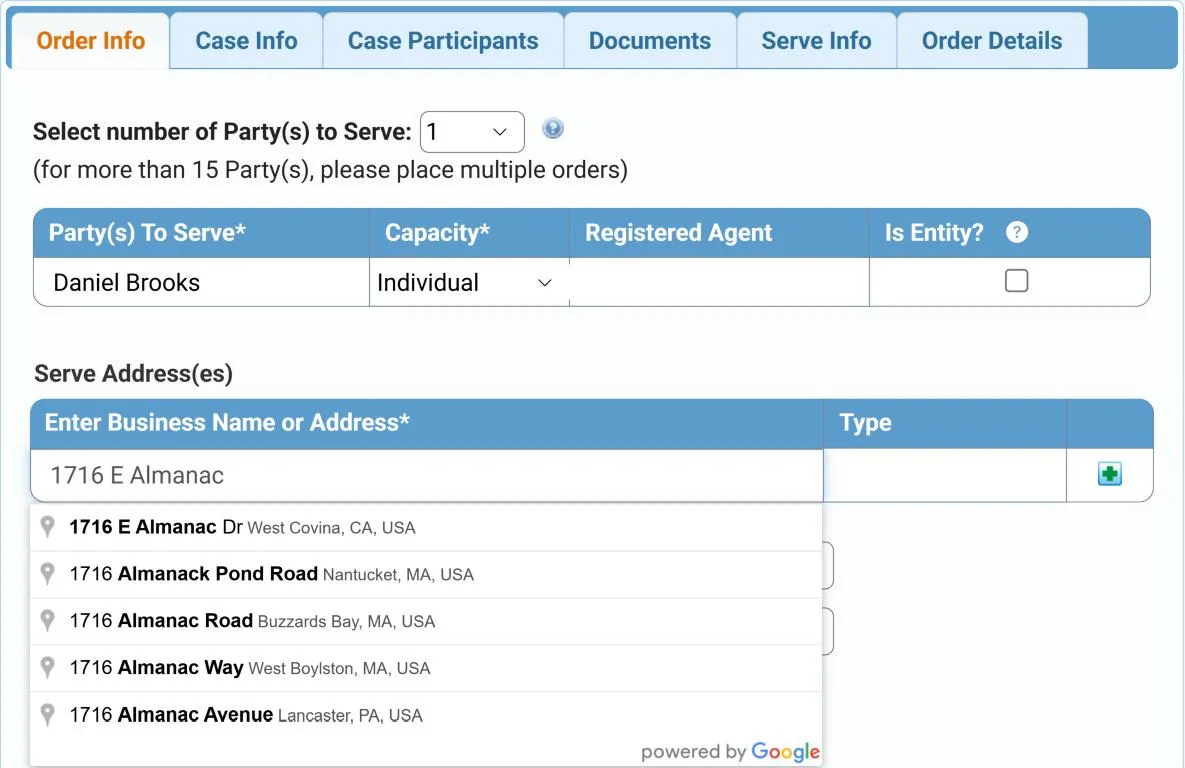
When you place an order that needs an address, such as Process Serving, start typing in the Enter Business Name or Address box. Matches from Google’s database of over 160 million addresses appear as you type. Click the right one.
2 Check the validated address
Once you choose an address, it is checked for accuracy and completeness. Missing details, such as the street designation or the ZIP code, are added for you. The Type column shows whether the address is Residential or Business.

In this example, 1716 E Almanac became 1716 E Almanac Dr, West Covina, CA, USA, a residential address.
3 Add a suite or business name, if you like
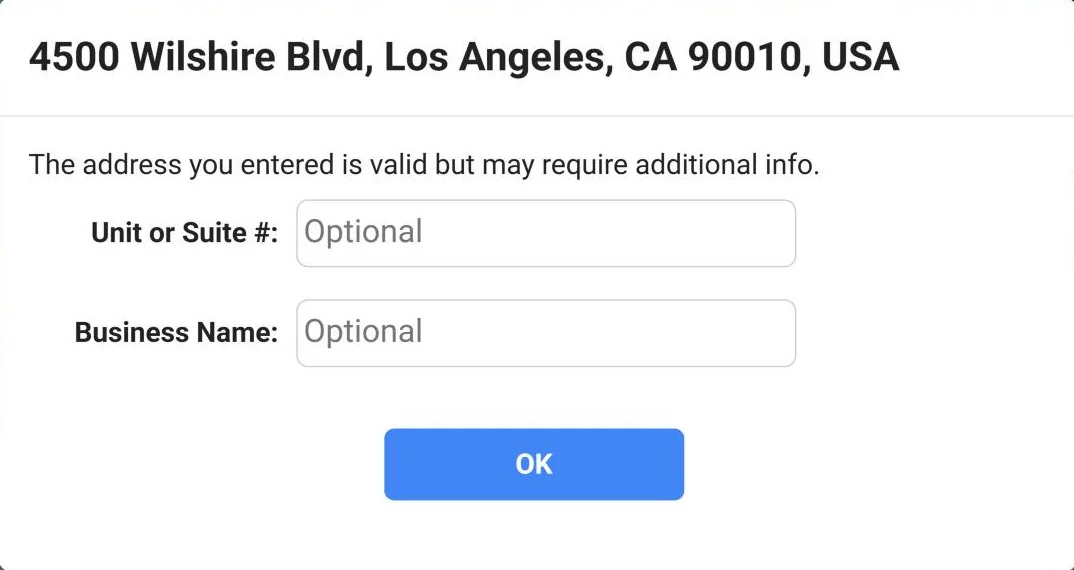
When you enter a business address, a box may ask for more information. You can add a Unit or Suite #, a Business Name, or both, to complete the address. Both are optional. Click OK.
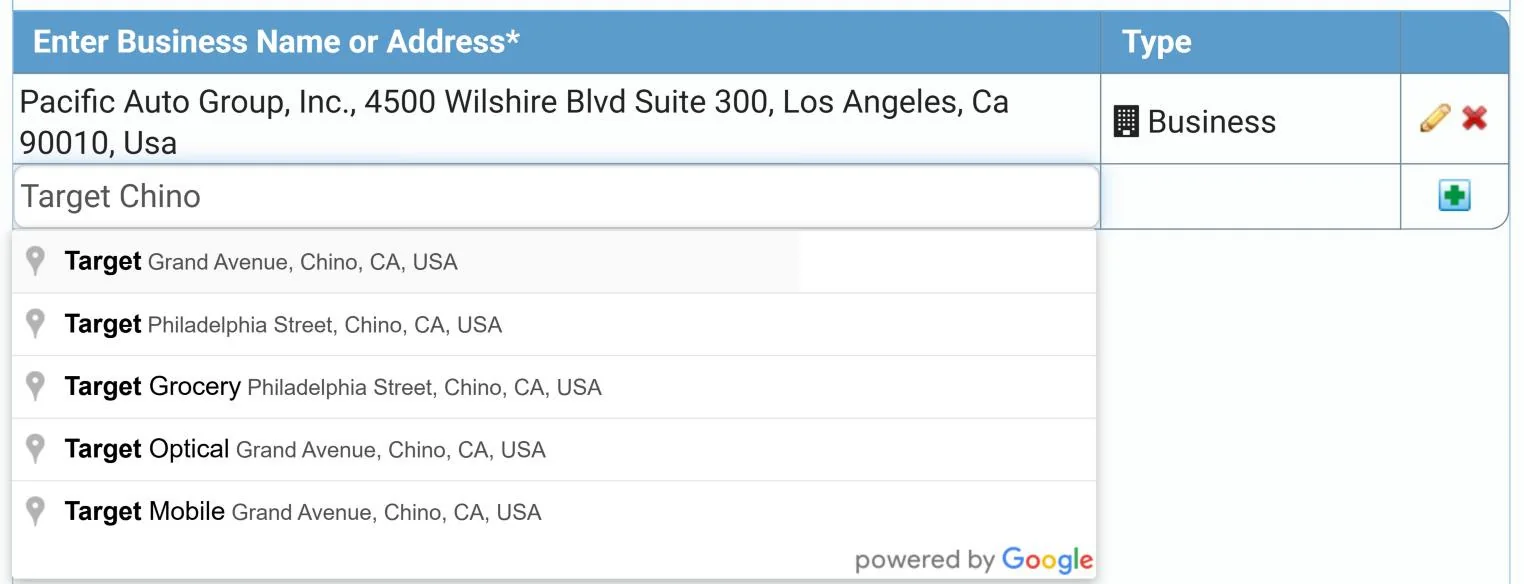
The business name and suite number are added to the address, and its Type shows Business, as in the first address in the next step.
4 Or search by business name
You can also search Google’s database of over 30 million business locations. Type a business name, such as Target Chino, and choose the location from the list. The full address is added for you.
Frequently asked questions
What are the benefits of Address Validation by Google?
Google keeps a database of over 160 million addresses and over 30 million business locations in the United States. It is updated all the time from sources such as the USPS, the US Census, Google Business Profiles and other public data.
Checking addresses against it gives us accurate, complete addresses for your service of process and other location-based orders. That means fewer mistakes and missed deadlines caused by wrong or incomplete addresses.
Has entering an address changed?
No. You enter an address the same way as before. Addresses are suggested as you type and checked for completeness and accuracy, and the portal works out whether each one is a residence or a business.
You can also search by business name to look up a location quickly. For example, try Target Chino Hills, Stanley Mosk Courthouse or City of Hope.
What happens if I enter a business address?
Business addresses are detected automatically. You can add a suite number or business name if you need to.
Can I override an address recommendation?
Yes. You can always edit an address by hand and override the recommendation.
Questions? We’re here to help.
Call our Litigation Division Monday to Friday, 8:30 a.m. to 5:00 p.m. Pacific, or email info@directlegal.com. Ready to order? Log in to the portal.
Prefer paper? Download this guide as a PDF to print or save. More guides: Client Portal Guides.