
Start here
Log in to the portal →Or go to directlegal.legalconnect.com and log in with your email address and password. Payment methods are under My Profile, on the Payment Information tab, which account administrators can open.
What you will need
- Administrator access on your Direct Legal account
- For each card: the card number, expiration date, security code, ZIP code and billing address
- A short nickname for each card, if you like
Add a credit card
1 Open Payment Information
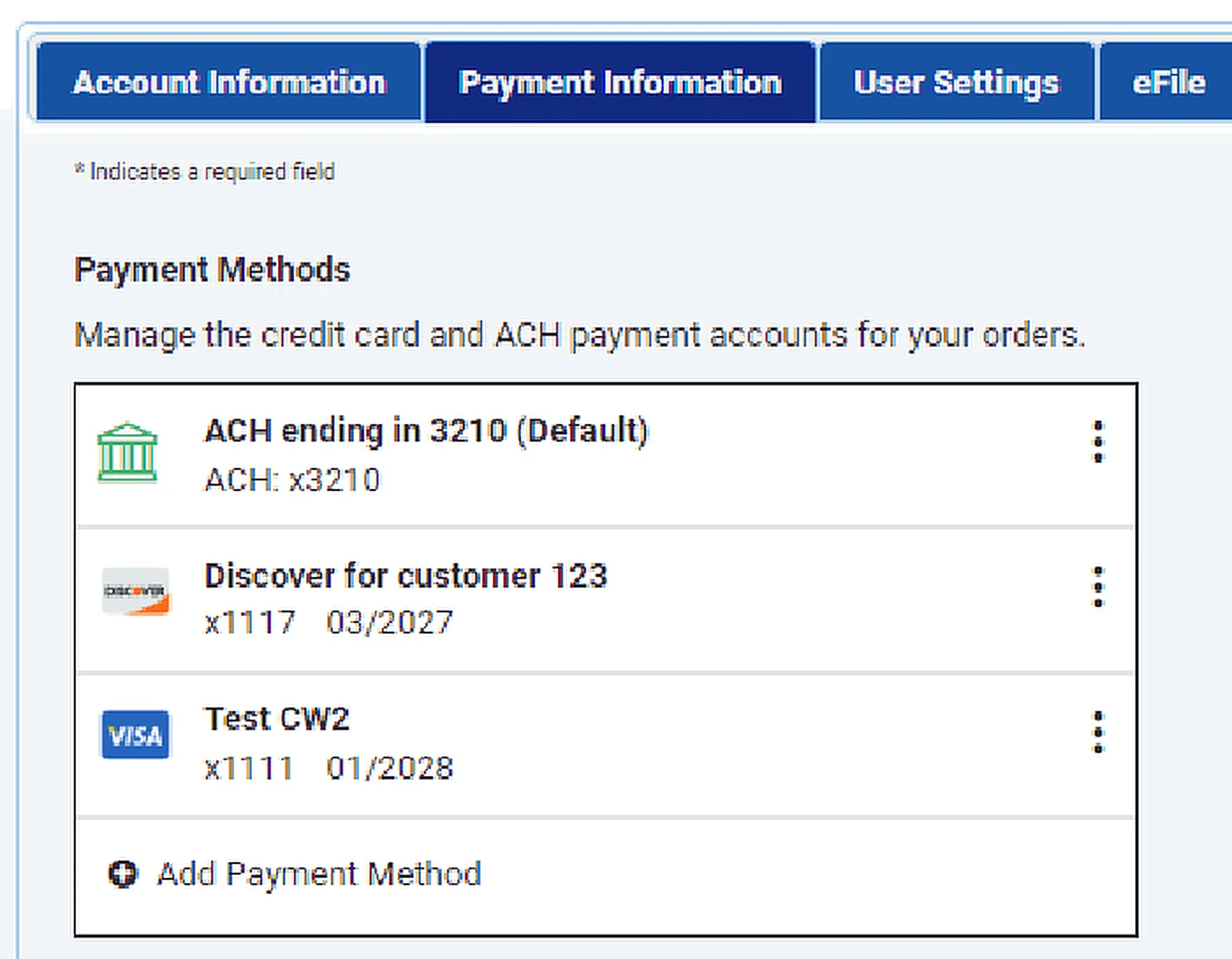
Click your initials at the top right of any page, then My Profile, and open the Payment Information tab (1). Your saved payment methods are listed under Payment Methods. Click Add Payment Method (2).
2 Enter the card details and save
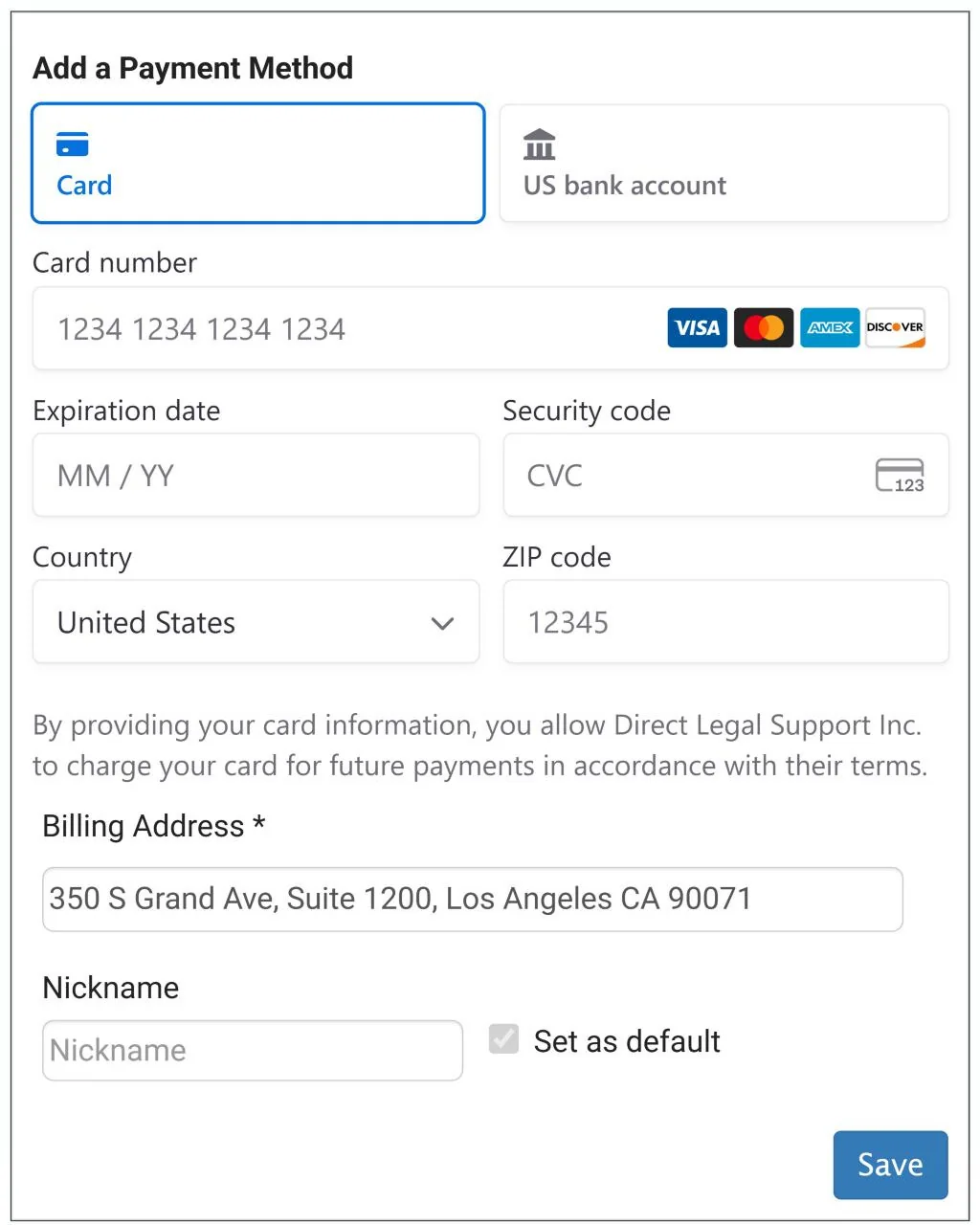
Click Card (1). Then enter:
- the Card number, Expiration date and Security code
- the Country and ZIP code
- the card’s Billing Address
- a Nickname, such as Corporate Visa or Backup Visa, so you can tell your cards apart
To use this card for new orders unless you choose another, check Set as default (2). Click Save (3).
Manage your saved payment methods
3 Change your default payment method
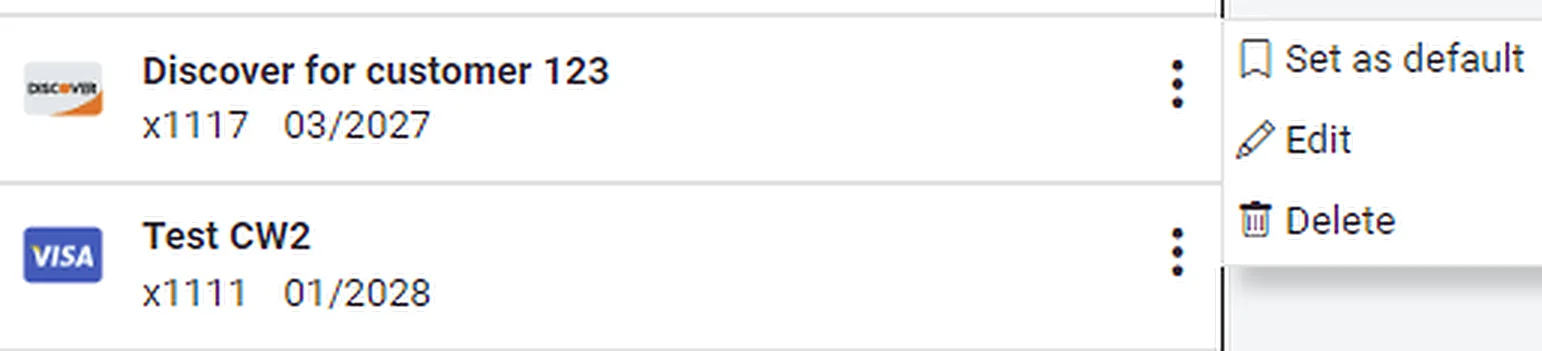
Click the three dots next to the payment method you want to use, then click Set as default. Orders you place after the change use the new default. Orders you already placed keep the payment method they were placed with.
4 Edit a nickname
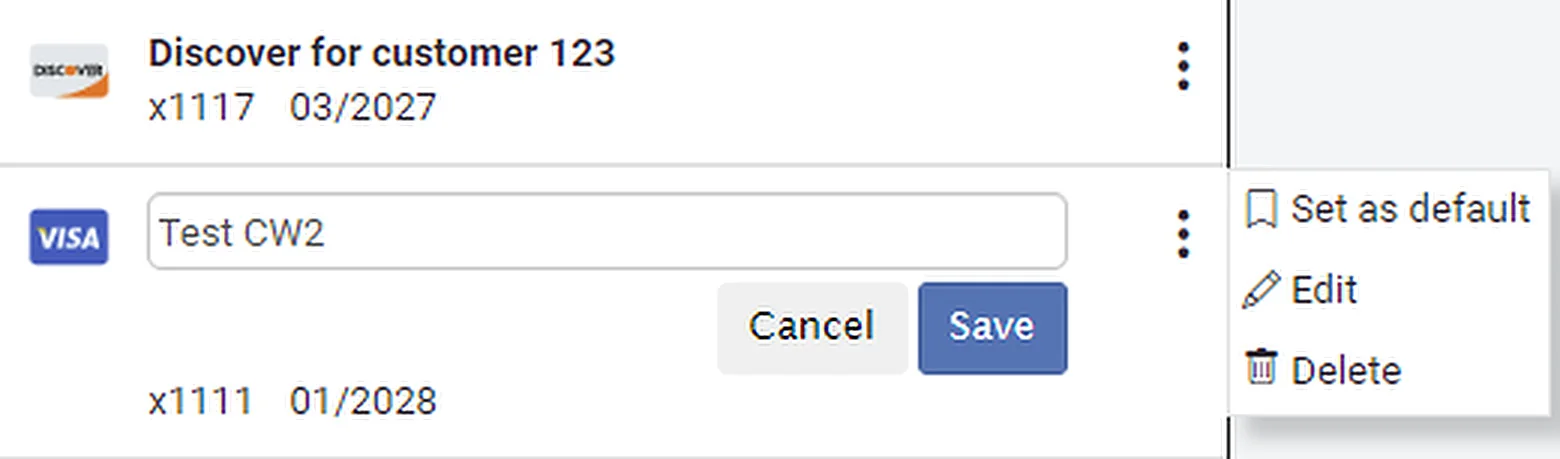
Click the three dots next to the payment method, then click Edit. Type the new nickname and click Save.
5 Delete a payment method
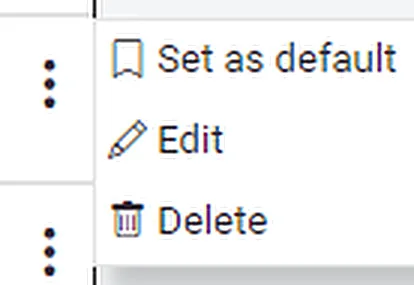
Click the three dots next to the payment method, then click Delete. Read the confirmation, then click OK.
Questions and answers
Which payment methods can I save?
Visa, Mastercard, American Express and Discover credit or debit cards. ACH payments from a business or personal checking account are available on request, subject to approval by Direct Legal Support.
Can I change the payment method on an order?
Yes. You can change it up to the time the order is completed. After you place an order, Direct Legal can also change the payment method for any invoice that hasn’t been paid. A status update is added to the order when we do.
What happens if a payment is declined?
If the payment method you chose for an order fails or is declined, your account’s default payment method is charged instead. If the payment still can’t be processed, the order is held so the payment can be processed again. You, or Direct Legal, can update the payment for the order until the payment is confirmed.
Can Direct Legal add or update my card for me?
No. Payment card industry (PCI) rules allow only the cardholder to add, edit or delete a payment method. We can see only a summary of each one: its nickname, the last 4 digits and the expiration date. When we place an order for you, we can choose from the payment methods saved on your account.
Do I need a payment method on file if my account has open credit?
Yes. An account with open credit still needs a credit card, or approved ACH account, on file as a payment guarantee.
What if my eFiling order qualifies for a fee waiver?
If a court eFiling order qualifies for a fee waiver, Fee Waiver is selected as the payment method automatically.
When you place an order
- Choose any of your saved payment methods on the Order Details tab
- See a summary of the estimated fees before you submit
- Add, edit or delete a payment method there too, or change your default
Good to know
Only account administrators can open Payment Information in My Profile. Other users can choose and manage payment methods on the Order Details tab while placing an order. See our How to Make Changes in My Profile guide for the rest of your profile settings.
Questions? We’re here to help.
Call our Litigation Division Monday to Friday, 8:30 a.m. to 5:00 p.m. Pacific, or email info@directlegal.com. Ready to order? Log in to the portal.
Prefer paper? Download this guide as a PDF to print or save. More guides: Client Portal Guides.